Can you actually debug
what AI writes?
AI generates code faster than ever — but when it breaks, someone has to fix it. Buggr is a game that teaches you to find and fix real bugs in real codebases, building the skill that matters most in the AI era.
The Most Important Skill in 2025
Cursor, Copilot, ChatGPT — everyone ships faster now. But there's a growing gap between generating code and understanding code.
When AI-generated code breaks — and it will — the developer who can read a stack trace, trace the logic, and fix the root cause is 10x more valuable than the one who just re-prompts until the errors disappear.
Buggr is a game that builds that muscle. We inject realistic bugs into codebases and challenge you to find and fix them — under the clock, with no AI help. It's how you prove you really understand the code, not just the prompts.
How It Works
🤖 AI-Injected Bugs
Our AI injects the kind of bugs real developers hit every day — off-by-one errors, null pointer issues, async/await mistakes, and subtle logic inversions.
📊 Three Difficulty Levels
Easy (1-2 bugs), Medium (2-3 bugs), or Hard (3-5 bugs). Start with easy to build confidence, then level up.
🔔 Realistic Bug Reports
You get vague user complaints like "The posts are showing up blank" — just like the real tickets you'll face on the job.
⏱️ Timed Challenges
Every run is timed. The faster you find and fix the bugs, the better your grade. Track your improvement over time.
📋 Share & Compare
Share bug reports with teammates and compare scores. Great for team challenges, study groups, or interviews.
🙅♂️ No Code-Gen Allowed
This is a human debugging challenge. Keep Copilot/Cursor code generation off — your score should reflect your real skills.
Connect Your Tutorials
Built a project from a tutorial? Prove you actually understand it.
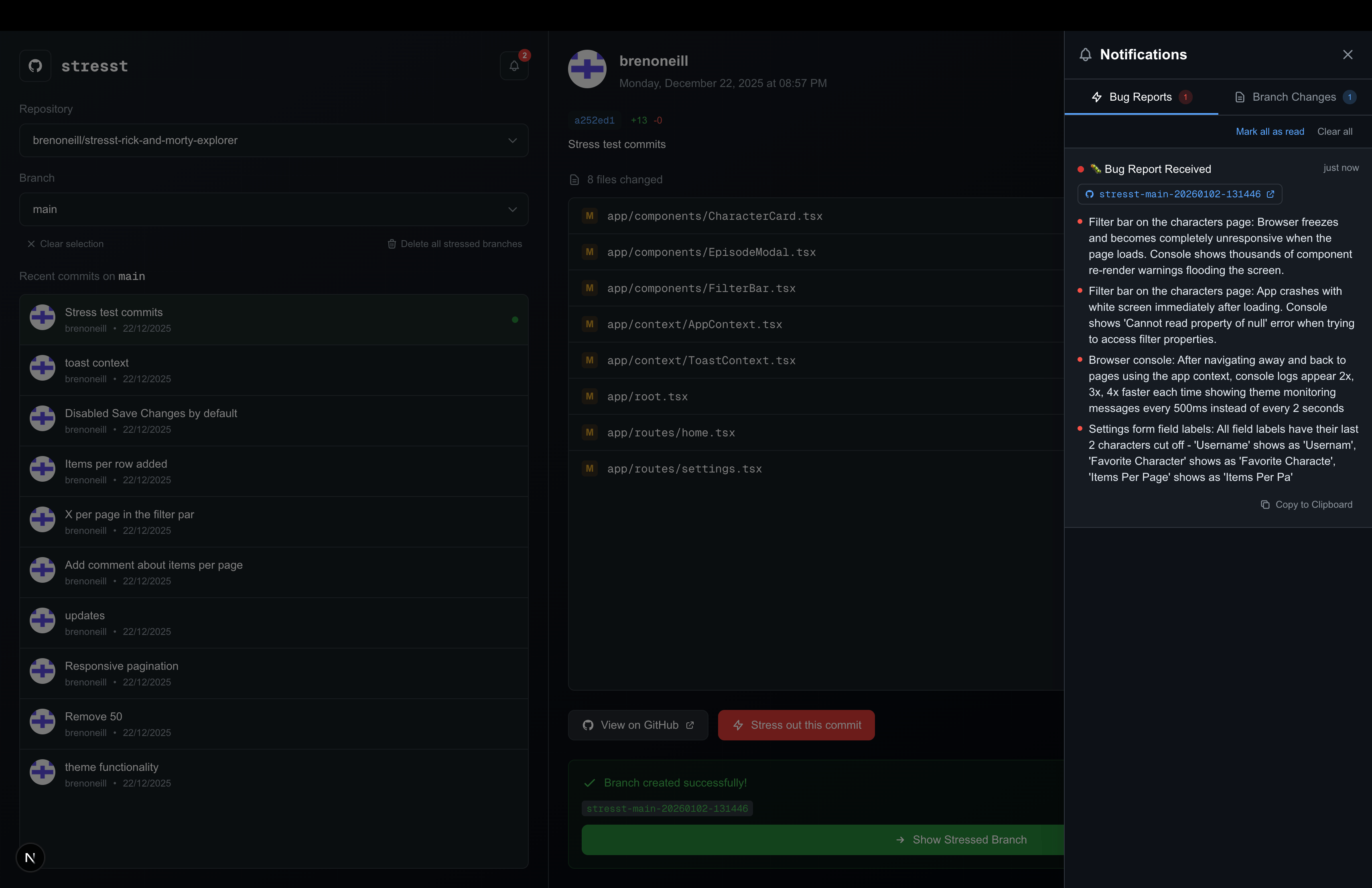
Following along with a tutorial is one thing — truly understanding the codebase is another. Connect any repo you've built from a course, guide, or tutorial to Buggr and we'll inject bugs into it.
If you can find and fix bugs in code you've written (or followed along to build), you genuinely understand the architecture. If you can't, you know exactly where to go back and learn more deeply.
Students & Bootcampers
Finished a course project? Bugger it and prove to yourself (or your instructor) that you truly get it.
Tutorial Creators
Add Buggr challenges to your tutorials. Give learners a way to test their understanding after completing your content.
Teams & Hiring
Onboard new hires by having them debug real project code. Faster than take-home tests, more realistic than LeetCode.
Getting Started
Connect
Sign in with GitHub — we only access your public repositories, never private ones
Select
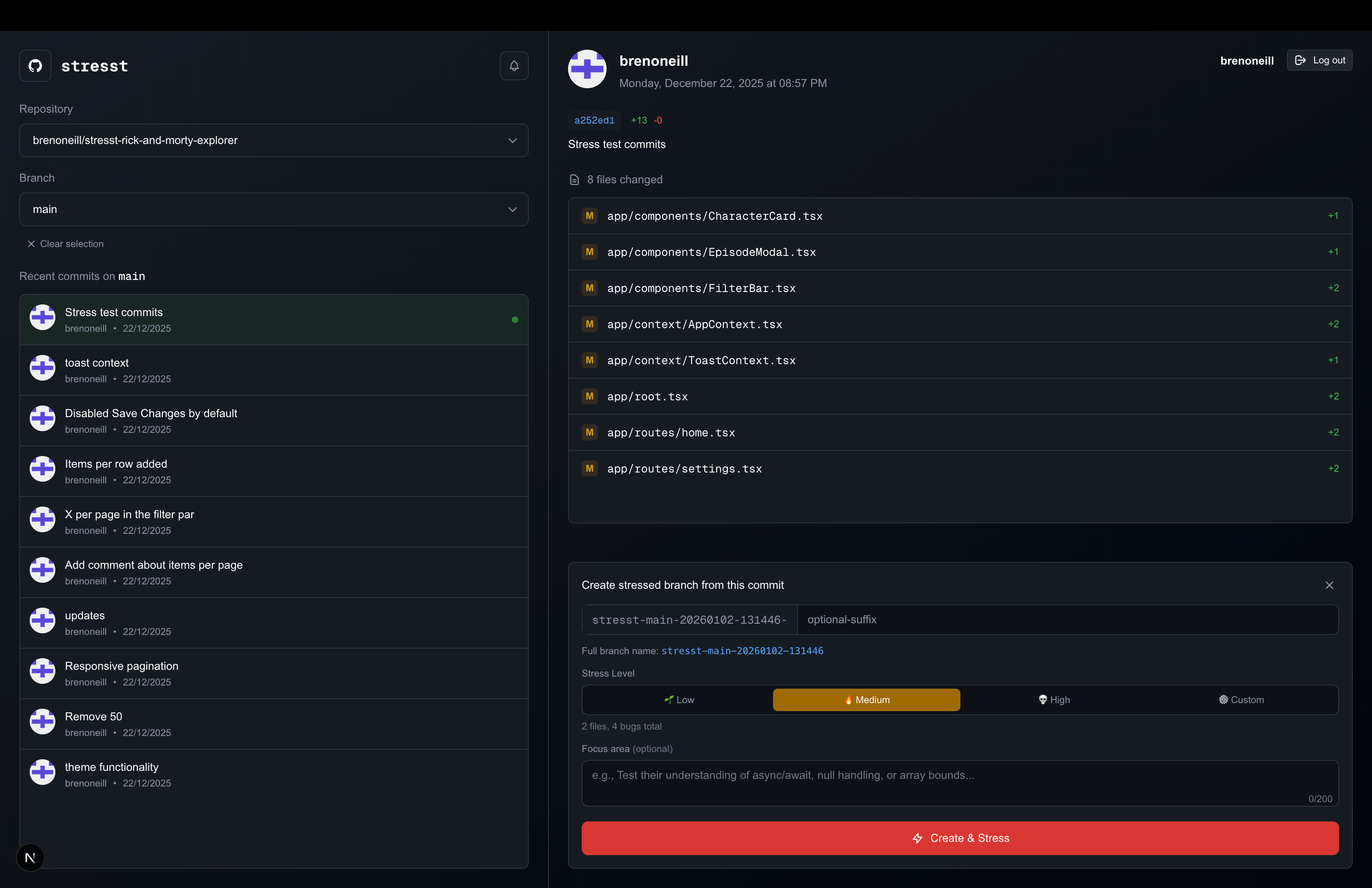
Choose a repo, commit, and difficulty — we inject the bugs
Debug
Find and fix the bugs without code-gen tools — faster fixes = better scores
The Process
When you 'bugger up some code', our AI analyzes your code, picks files to inject bugs into, creates a new branch, and gives you a bug report describing the symptoms.
How to Play
Once you've created a buggered branch, here's how to debug it and earn your score:
Start the Timer
Clone the buggered branch and create an empty commit with "start" in the message:
git commit --allow-empty -m "start"Find & Fix the Bugs
Review the code, read the bug report, trace the logic, and make your fixes. No AI code generation tools!
Stop the Timer
Commit your fixes with "done" or "end" in the message:
git commit -m "done - fixed all bugs"Get Your Score
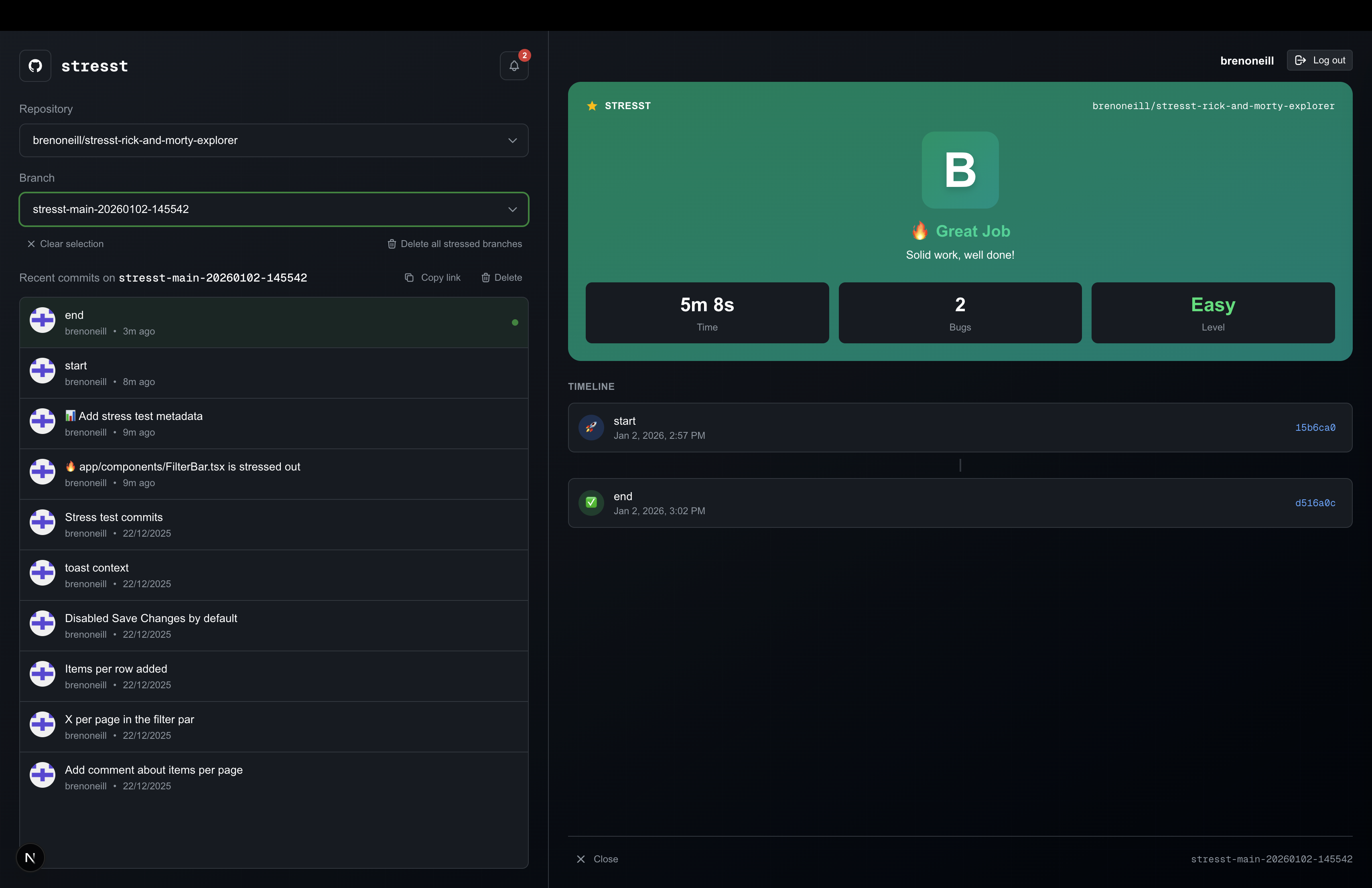
Push your changes, return to Buggr, select your branch, and click "Check Score" to see your grade.
Scoring
Your grade is based on how quickly you identify and fix the bugs. Track your improvement over time and see how you stack up.
| Difficulty | A | B | C | D |
|---|---|---|---|---|
| 🌱 Easy | 0-5 min | 5-10 min | 10-15 min | 15+ min |
| 🔥 Medium | 0-7 min | 7-11 min | 11-15 min | 15+ min |
| 💀 Hard | 0-10 min | 10-15 min | 15-20 min | 20+ min |
Choose Your Codebase
Your Own Repos
Use any of your public repositories — including projects you've built from tutorials, courses, or side projects. We never access private repos.
Practice Repos
Fork one of our public repos designed for practice. No risk to your real code — perfect for getting started.
Available Practice Repositories
Quick Start
Play on our server (recommended)
- • Sign in with GitHub
- • Pick a repo/commit and difficulty
- • Debug in the browser — no local setup needed
- • Keep code-gen tools off for an honest score
Self-host it (open source)
- • Clone the repo and install dependencies
- • Configure GitHub OAuth + your LLM provider
- • Start the app locally
- • Still keep code-gen tools off during challenges
Self-hosting? (optional)
Want to run Buggr on your own infra? Clone and boot locally:
What you need
- ✓ Node.js 18+
- ✓ A GitHub account
- ✓An LLM provider — Anthropic (recommended), OpenAI, or a local LLMAnthropic works best. Local LLMs need a beefy machine.
$ git clone https://github.com/buggr-dev/buggr.git$ cd buggr && npm install$ npm run devCheck the README for full setup including GitHub OAuth and API keys.
Ready to prove you can actually code?
Connect your GitHub, pick a public codebase — your own project, a tutorial repo, or one of ours — and start debugging. We never access private repos.